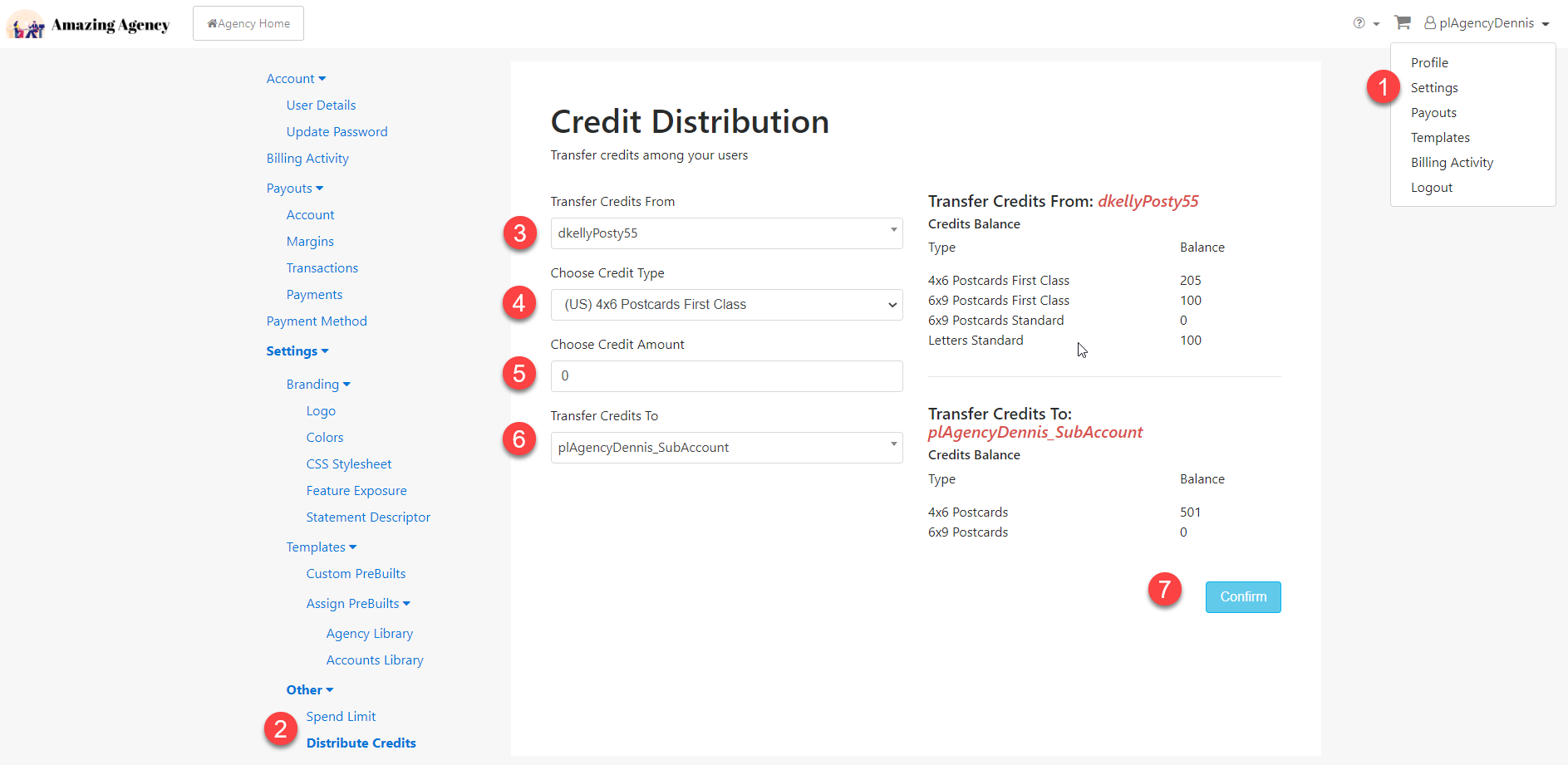
At the Agency level, direct mail credits can be transferred and distributed across your client sub-accounts.
- From the UserName drop down menu, select Settings > Other > Distribute Credits.
- Select which client account you want to transfer credits from. Note the current credit balances in the right column.
- Choose the credit type and select the format you want to transfer.
- Choose the credit amount or the number of credits you want to transfer.
- Select the client account you want to transfer credits to.
- Click 'Confirm'.
- Review the updated credit balance.