
In Klaviyo, a webhook action can be added to a Klaviyo Flow. Here, we will set up an example Flow that triggers a webhook action when someone signs up for a marketing email.
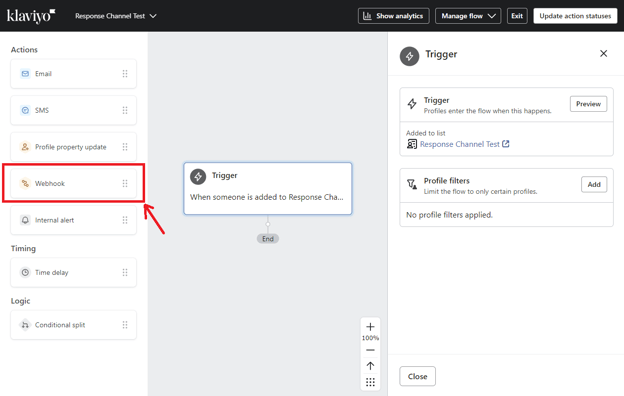
Create a flow with a trigger, and add a webhook action:
Once you reach this point, log into the Postalytics account and go to the campaign dashboard page of your test campaign, then scroll down to look for the button shown below:
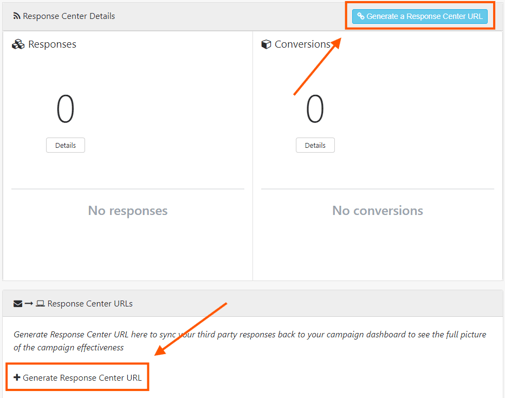
OR
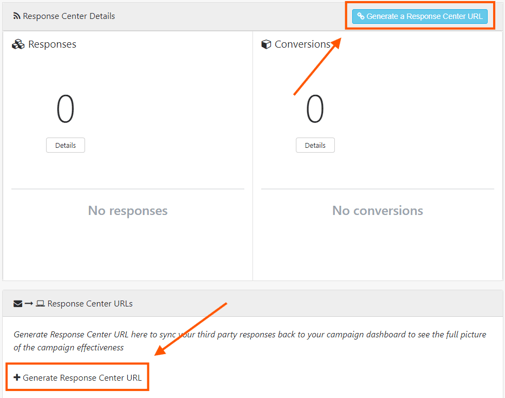
Click the button “Generate a Response Center URL” and follow the steps.
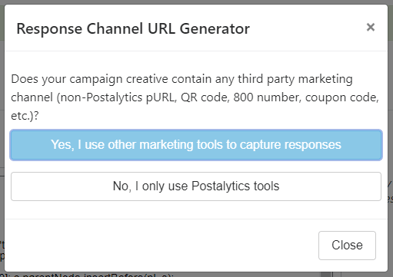
Click the colored button to continue (“Yes, I use other marketing tools to capture responses”)
Fill out the form and click Generate URL. You may omit optional fields.
Click the button to copy the generated URL.
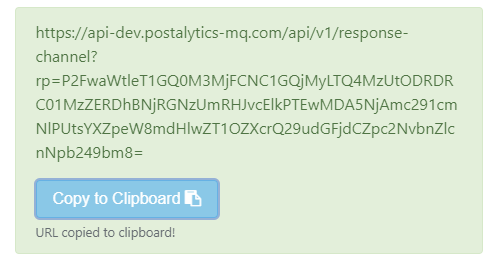
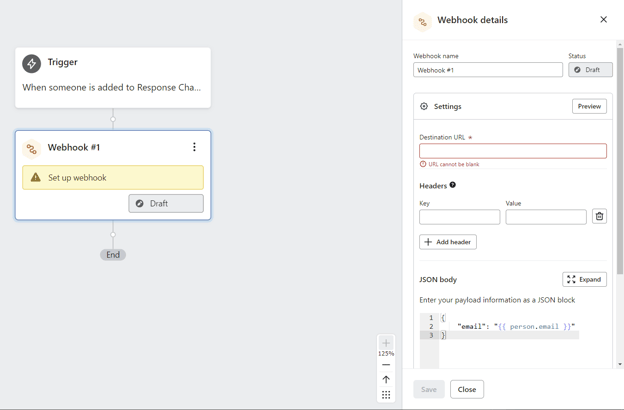
Go back to the Klaviyo Flow settings page and paste the URL into the Destination URL. and add a header:
If desired, you may update the JSON body to include more information like the customer's first and last name, mailing address, and more. To view the allowed properties, click the “View profile & event properties” button below the JSON body field to view the available properties.
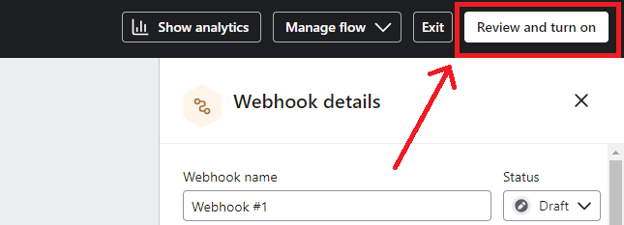
Click “Review and turn on”
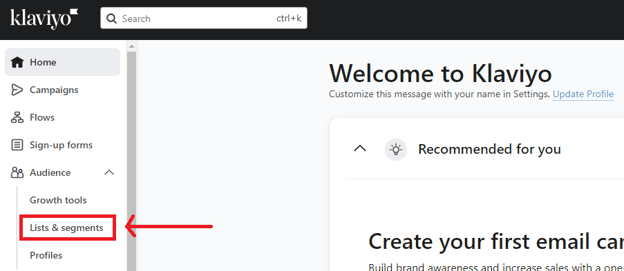
Once the Flow is live, click exit to go back to the home page, then go to your contact list to manually trigger the event. You can access lists from the left-hand side menu -> Audience -> Lists & segments
Click the list name to access the Quick Add.

Fill out the form, then click “Add profile.”
Once the above steps are complete, you should first check your Klaviyo Flow to see if the event correctly triggered the webhook action.
Within your Flow, click the Webhook tile to access the details, then click “View details” as shown below
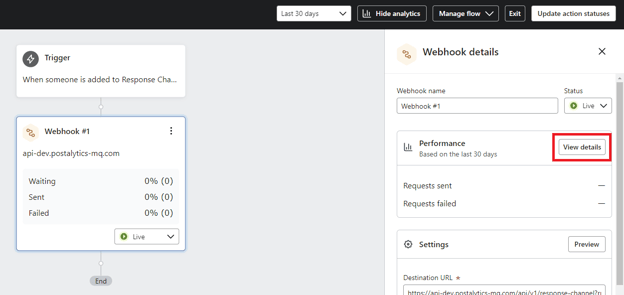
If the webhook action was completed successfully, you should see it from the Webhook activity page and the collected response should show up in the campaign dashboard.
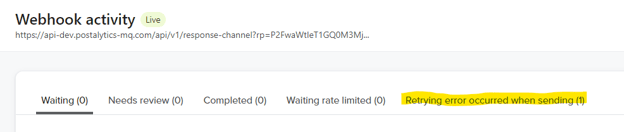
If you see an event like below, something went wrong when the action was triggered. Please export the activity log as CSV and send it to gkim@postalytics.com.
For more information about Klaviyo Webhook, refer to their knowledge base article here