
Twilio has an ability to trigger webhook on various events happening to your phone number. Follow the steps to set up a trigger.
Generate a Response Center URL from the campaign dashboard. Copy the URL or save it for future reference.
Log into your account.
We have a twilio account for our two-factor authentication, but we don’t have a test phone number yet.
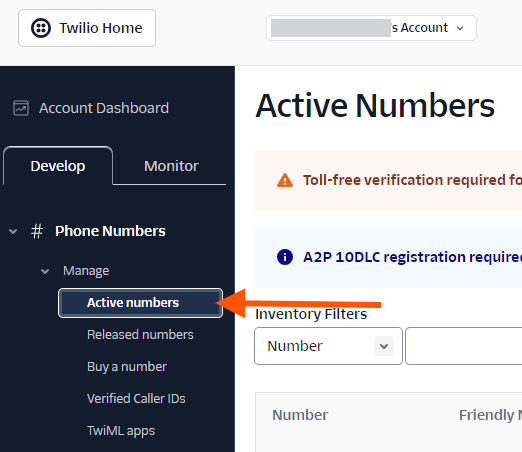
In the dashboard, go to Active numbers tab:
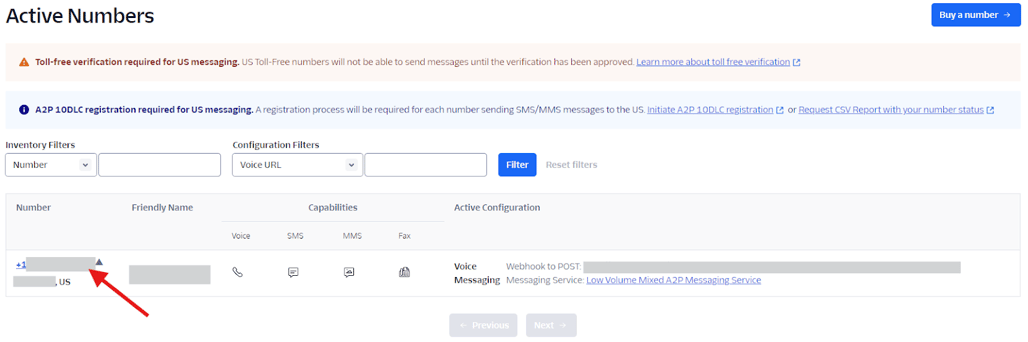
From the list of the active numbers, click the one you are going to configure.
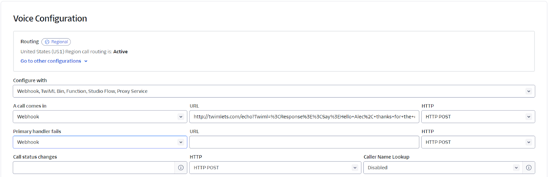
Choose the option to configure. There are two options available for a Twilio managed phone number: Voice & Messaging. Each option has its own configuration to trigger webhook.
Voice configuration
Messaging configuration
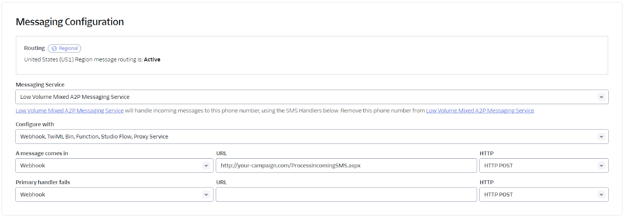
From the configuration options, choose “Webhook, TwiML Bin, Function, Studio Flow, Proxy Service”

Choose Webhook from the dropdown options for the event you are trying to sync. Example case: When a message comes in, trigger a webhook

Enter the Response Center URL you generated into the URL textbox.

Set HTTP to HTTP POST

Save the configuration
All done! You are ready to sync your events from Twilio!